
Advanced Moodle Support
How can I edit my Reflective Journal?
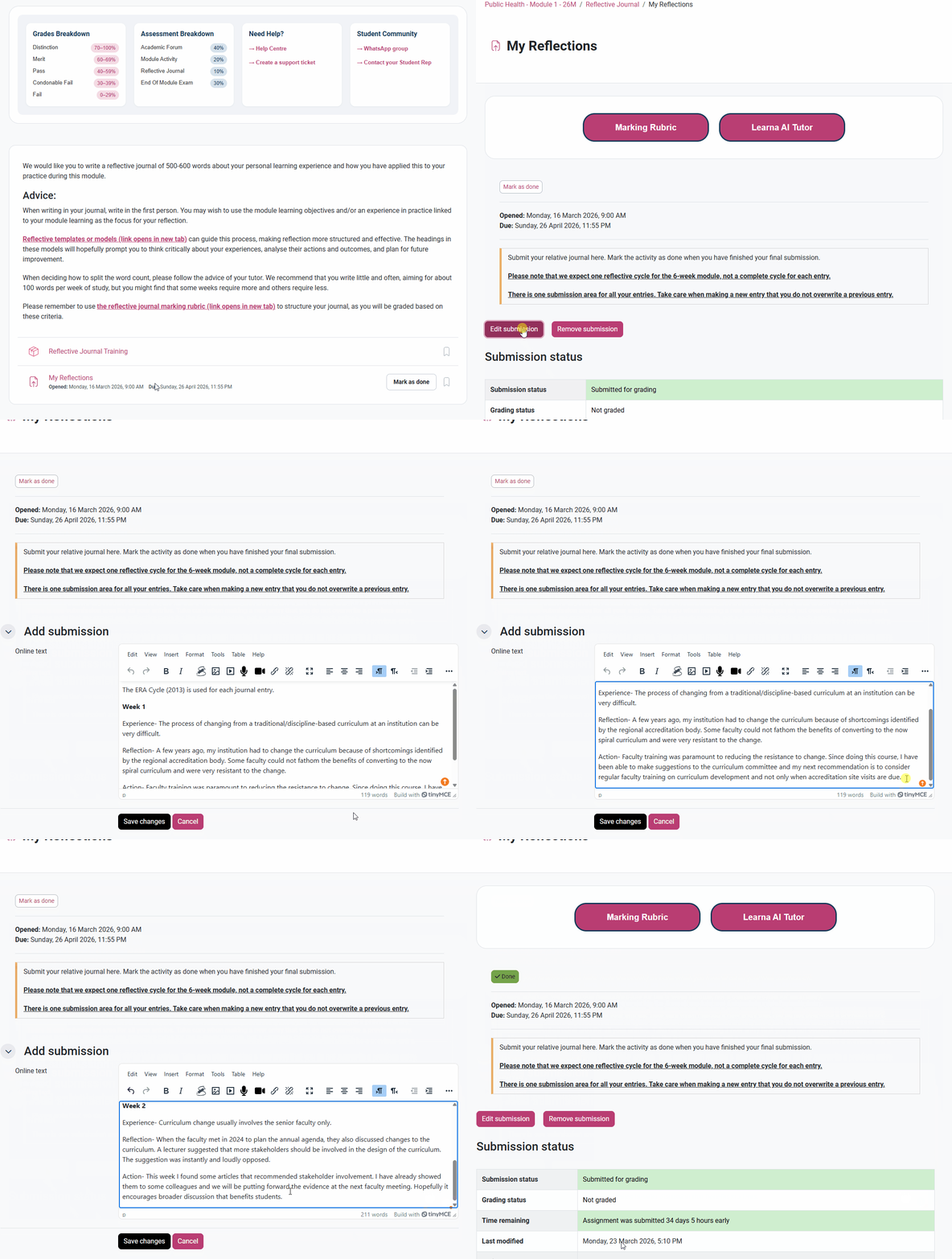
Note: You can post (and edit your posts) throughout the full 6 weeks of the module.
To edit your Reflective Journal, click into the ‘My Reflections’ section, either from your main course page or from the left-hand side column. Then, click ‘Edit submission’ above the submission status of the post you would like to edit. From here, you can edit your post in the text box in the ‘add submission’ area. Your Reflective Journal will be automatically submitted for marking at the end of the module.
Once you have finished your edits, make sure to click ‘Save changes’ to save your Journal.