
How do I private message my Tutor?
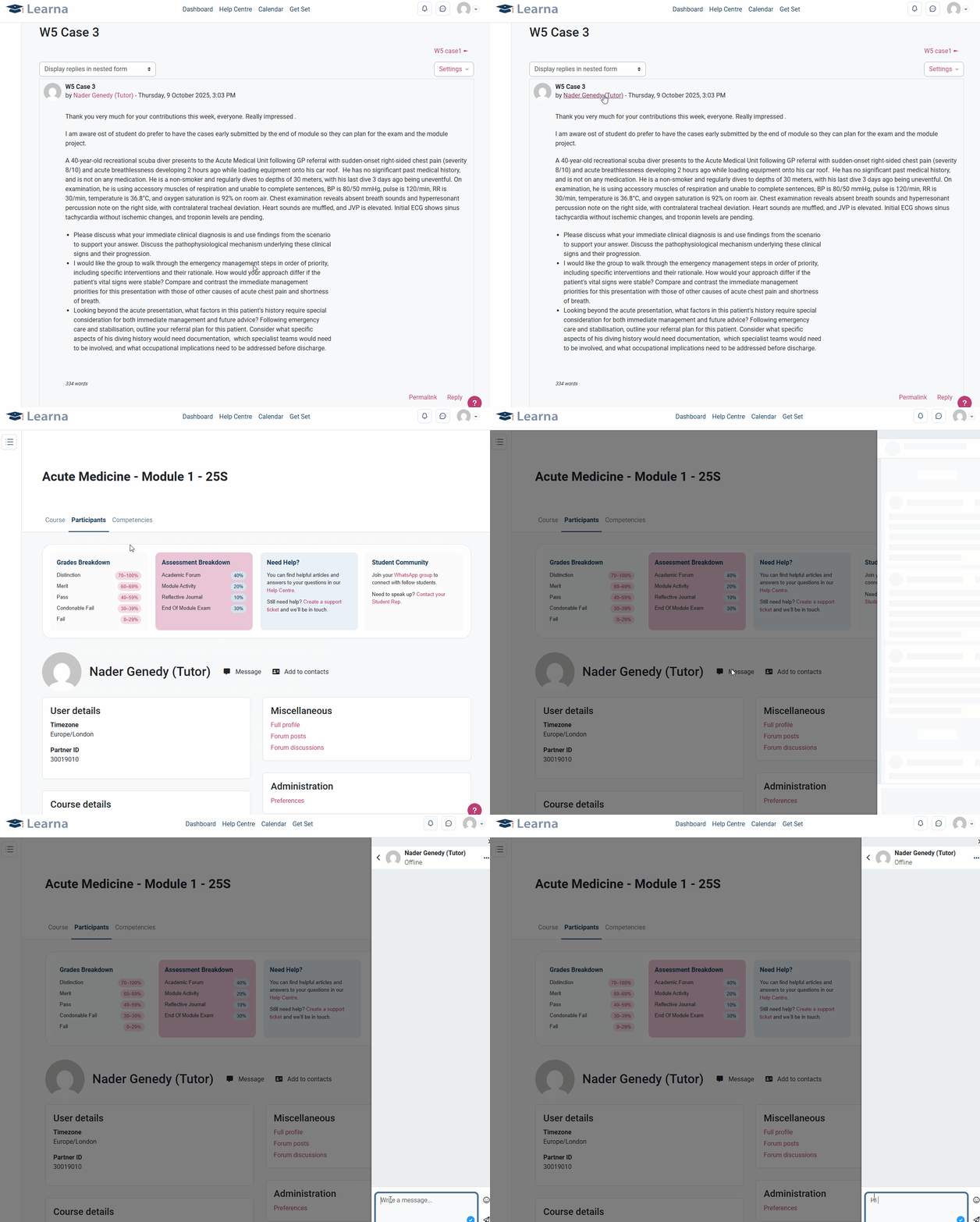
You can message your Tutor in one of two ways.
Firstly, find your Tutor’s Academic Forum post and click their name tag on the post. Then, when you are on their profile, click the ‘Message’ button to the right of their name and write your message in the right-hand side pop-up tab.
Secondly, you can search for your tutor by clicking on the speech bubble in the top-left corner of the course page. When you click this, a right-hand side pop-up tab will appear where you can either search for your Tutor by name or search for ‘tutor’. Once you click their name, you will be able to write and send your message in the same right-hand side tab.
Note: In all communications, please remember that you are expected to follow the Learna Student Code of Conduct, which can be found in your student handbook.