
Advanced Moodle Support
How do I edit my Academic Forum post?
Note: You can only edit an Academic Forum post 30 minutes after you originally post it.
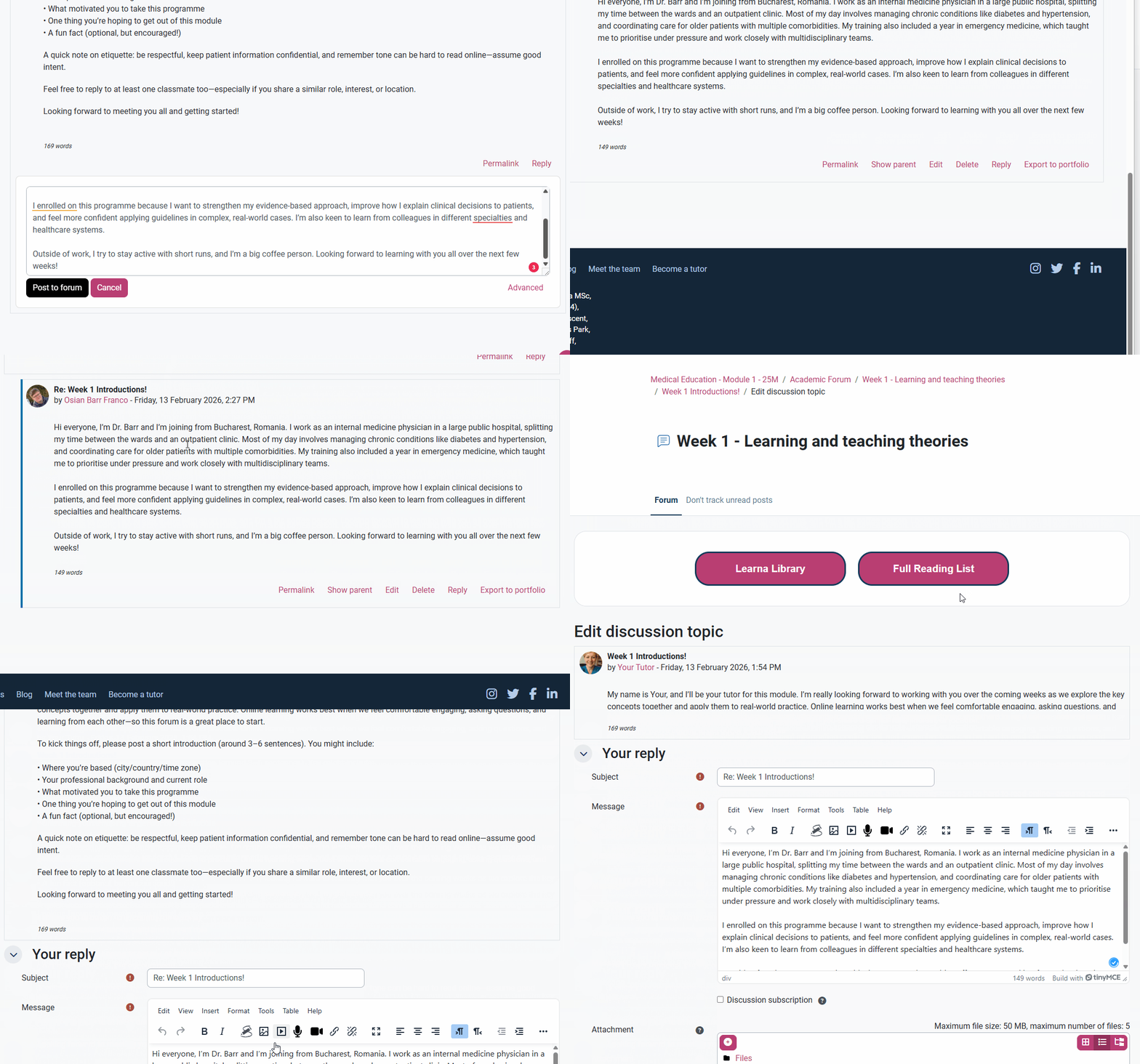
To edit your own post in the Academic Forum. First, go to the specific post you want to edit. Then, scroll to the bottom of your post, where you will see a pink option list, and select ‘Edit’.
You will then be brought to the ‘Your reply’ page, where you can edit any section of your post in the ‘Message’ section. After you have made your edits, remember to click the black ‘Post to forum’ button so your post will update.