
Advanced Moodle Support
How do I submit my Module Activity?
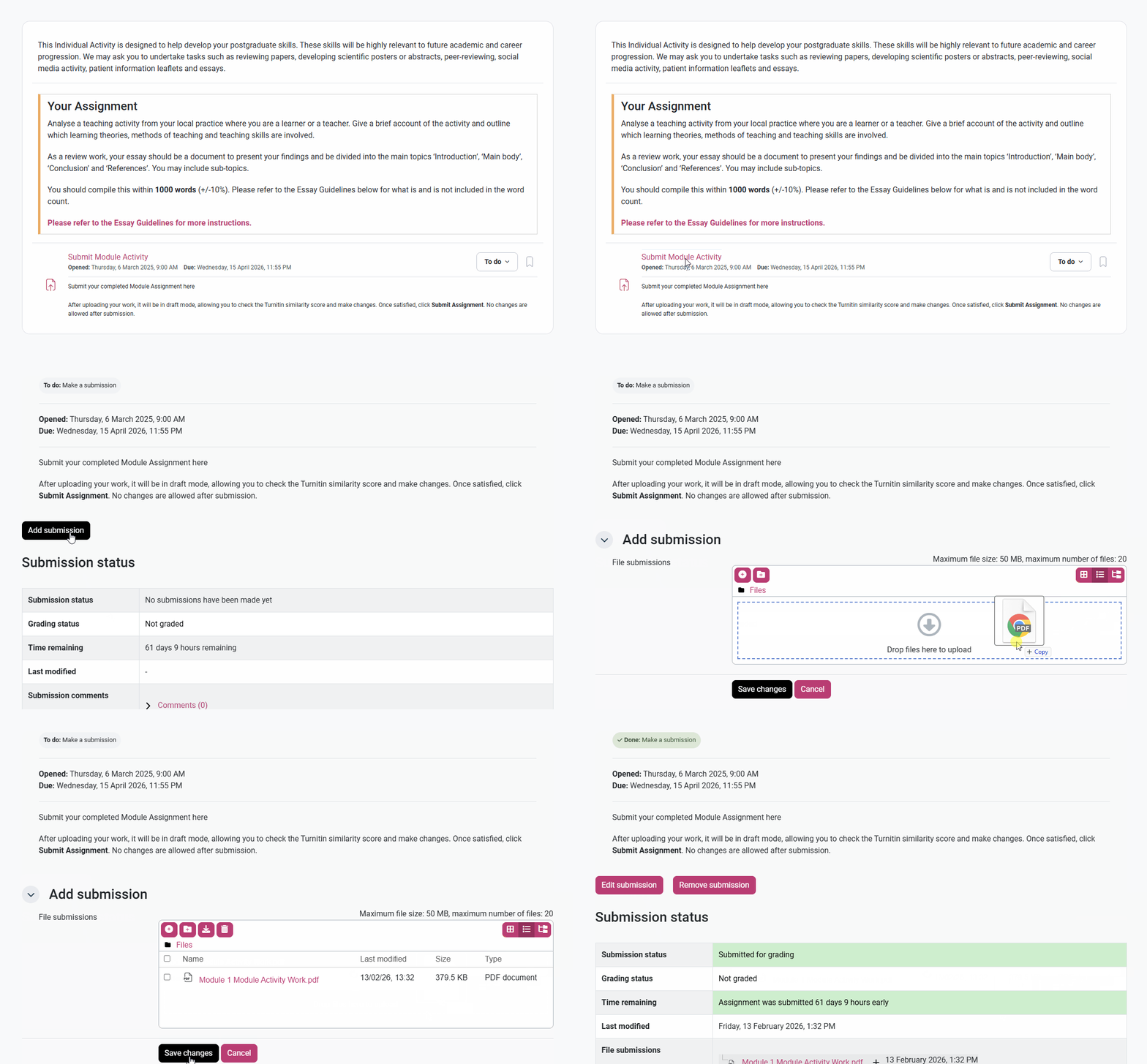
To submit your Module Activity, click into the Module Activity section, either from your main course page or from the left-hand side column. Then, scroll to the bottom of the page beneath your activity’s description and click ‘Submit Module Activity’. From here, click the black ‘Add submission’ button and drag your correct file into the File Submission box. Once this has been uploaded, click ‘Save changes’ to save your submission.
When you have successfully submitted your Module Activity, you should see a confirmation page where the Submission Status should be green and say ‘Submitted for grading’.