
Advanced Moodle Support
How do I resize an image in my Academic Forum post?
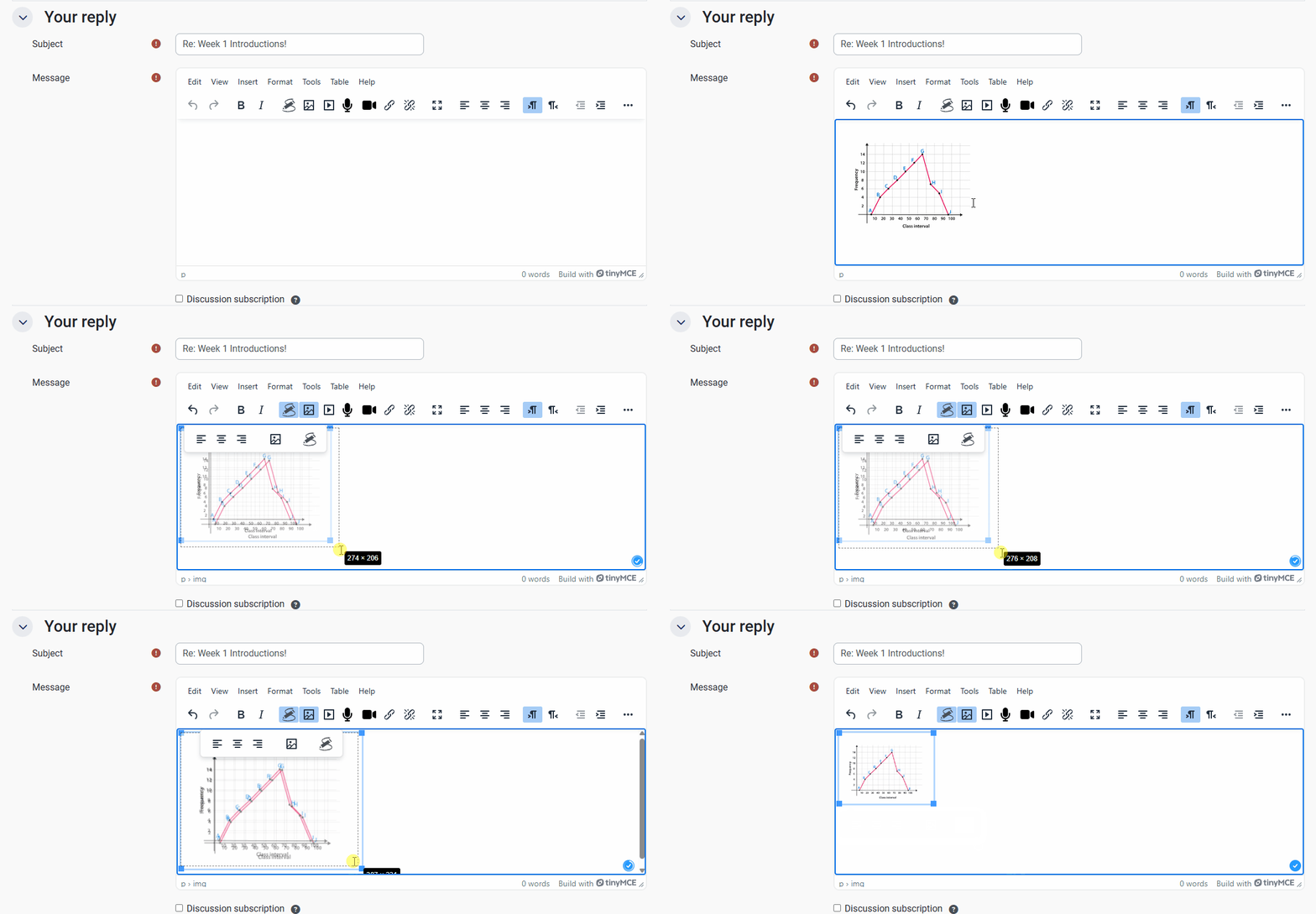
You can resize an image on your Academic Forum post before you post it, or up to 30 minutes after you originally post.
To alter the size of an image, open the ‘Advanced’ reply section. Then, copy and paste an image of your choice into the main ‘Message’ section. From here, you can drag any corner of your image outward to enlarge, and inward to reduce.
The image should not be any bigger than the size of the text box, otherwise it will cause issues with the forum and your response might not post correctly.
Once you are happy with the size of your image, remember to click the ‘Post to forum’ button to submit your post/ update your post.