
Advanced Moodle Support
How do I access the advanced reply area in the Academic Forum?
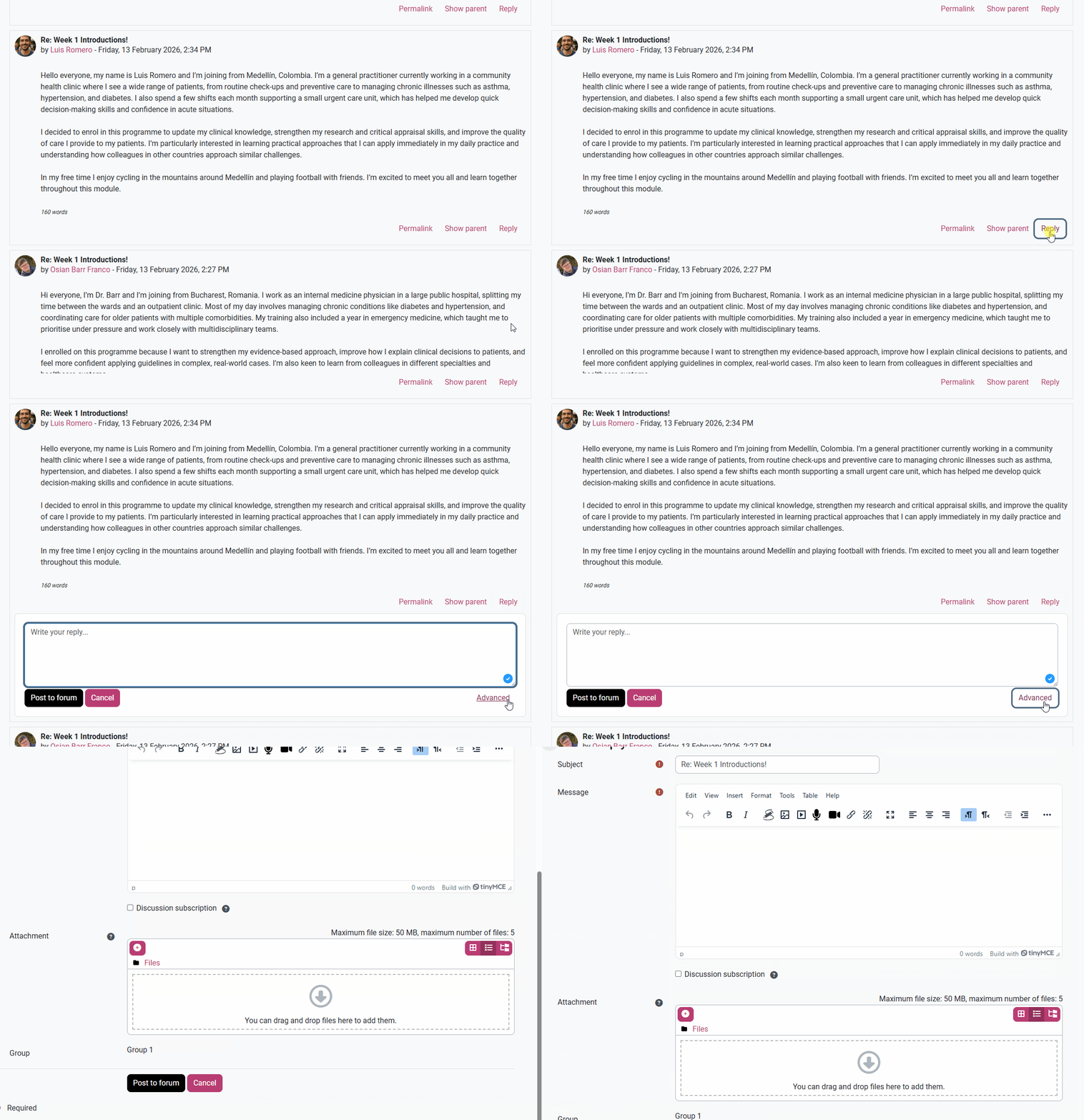
To advance reply to a post. First, find the post you would like to reply to. Scroll to the bottom of the post and click ‘Reply’. A text box should pop up below, with an ‘Advanced’ button in the bottom right. Click the Advanced option, then write your message in the ‘Message’ text box. This will allow you to put in custom formatting, adjust images, and use our other advanced reply features.
Make sure to click ‘Post to forum’ when you're done so your reply will post to the Forum.